The Complete SEO Guide: From Beginner to Hero
A comprehensive, hands-on guide to mastering Search Engine Optimization — covering everything from fundamentals to advanced techniques, with real code examples, diagrams, and actionable strategies.
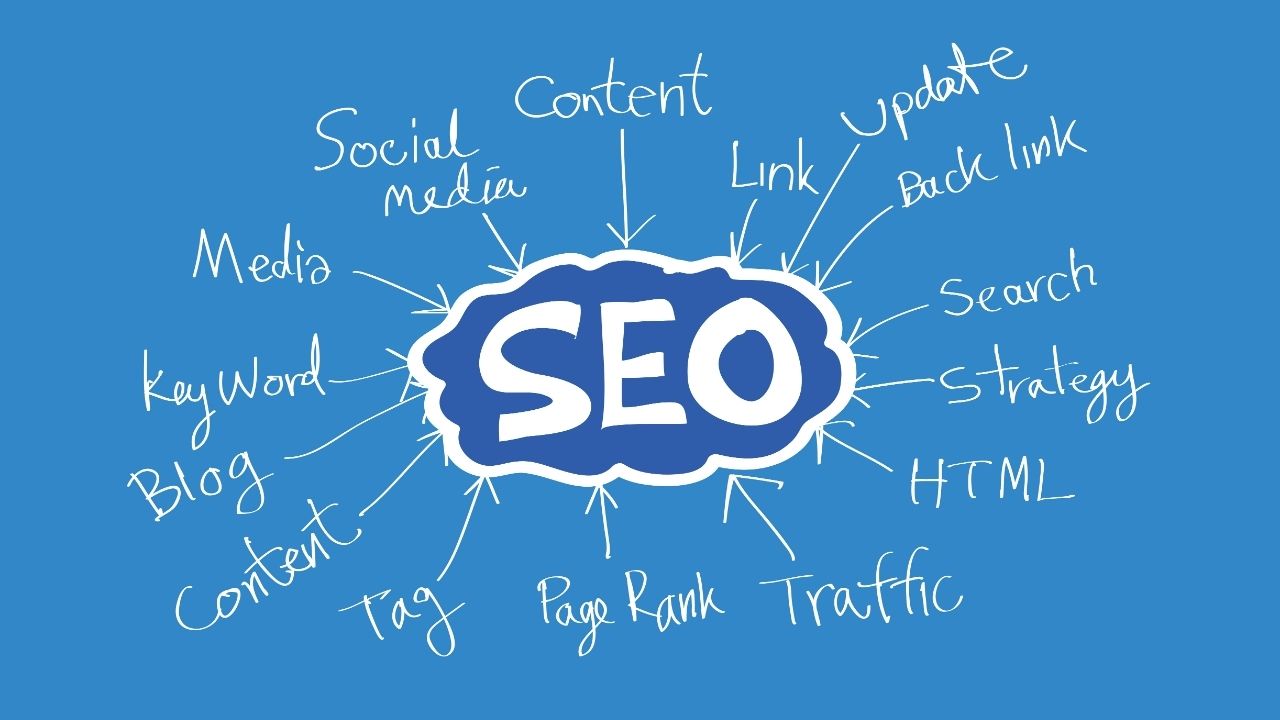
Table of Contents
- What is SEO and Why It Matters
- How Search Engines Work
- Keyword Research
- On-Page SEO
- Technical SEO
- Content Strategy
- Off-Page SEO & Link Building
- Local SEO
- Mobile SEO
- Core Web Vitals & Page Experience
- Structured Data & Schema Markup
- SEO for JavaScript & SPAs
- International SEO
- SEO Analytics & Tracking
- E-Commerce SEO
- Advanced Strategies
- Common SEO Mistakes to Avoid
- SEO Tools Reference
- SEO Roadmap & Checklists
1. What is SEO and Why It Matters
Search Engine Optimization (SEO) is the practice of optimizing your website and content to rank higher in organic (non-paid) search engine results, driving more relevant traffic to your site.
Why SEO Matters
┌─────────────────────────────────────────────────────────────┐
│                    Traffic Sources                          │
│                                                             │
│   Organic Search  ████████████████████████████  53%        │
│   Paid Search     ████████████                  27%        │
│   Social Media    ████████                      17%        │
│   Direct          ████                           3%        │
│                                                             │
│   Source: BrightEdge Research                               │
└─────────────────────────────────────────────────────────────┘
Key benefits:
- Free traffic — no cost per click unlike paid ads
- Compounding returns — content ranks for years
- Trust & credibility — users trust organic results more than ads
- Targeted reach — attract users with specific intent
- Competitive advantage — hard for competitors to replicate quickly
The Three Pillars of SEO
         ┌─────────────────────────────────────┐
         │            SEO SUCCESS              │
         │                                     │
         │   ┌─────────┐       ┌─────────┐    │
         │   │Technical│       │ Content │    │
         │   │  SEO    │       │         │    │
         │   └────┬────┘       └────┬────┘    │
         │        │                 │         │
         │        └────────┬────────┘         │
         │                 │                  │
         │          ┌──────┴──────┐           │
         │          │  Authority  │           │
         │          │ (Backlinks) │           │
         │          └─────────────┘           │
         └─────────────────────────────────────┘
2. How Search Engines Work
Understanding how search engines operate is the foundation of effective SEO.
The Search Engine Process
┌──────────────────────────────────────────────────────────┐
│                                                          │
│  1. CRAWLING                                             │
│     Googlebot discovers URLs via links & sitemaps        │
│     ↓                                                    │
│  2. INDEXING                                             │
│     Pages are analyzed, processed & stored in index      │
│     ↓                                                    │
│  3. RANKING                                              │
│     Algorithm evaluates 200+ signals to rank pages       │
│     ↓                                                    │
│  4. SERVING                                              │
│     Best results shown to user based on query & context  │
│                                                          │
└──────────────────────────────────────────────────────────┘
Key Google Ranking Factors (2024)
| Category | Factors |
|---|---|
| Relevance | Keywords, content quality, topical authority |
| Authority | Backlinks, domain age, brand mentions |
| Experience | Core Web Vitals, mobile-friendliness, HTTPS |
| User Signals | CTR, bounce rate, dwell time |
| Freshness | Publication date, update frequency |
How Googlebot Crawls
Googlebot
    │
    ├── Reads robots.txt first
    │        ↓
    ├── Follows allowed URLs
    │        ↓
    ├── Renders JavaScript (Chromium-based)
    │        ↓
    ├── Extracts links → adds to crawl queue
    │        ↓
    └── Sends to Google's indexing pipeline
robots.txt Example
# robots.txt — located at https://yourdomain.com/robots.txt

User-agent: *
Allow: /

# Block admin areas
Disallow: /admin/
Disallow: /login/
Disallow: /cart/
Disallow: /checkout/

# Block duplicate/low-value pages
Disallow: /*?sort=
Disallow: /*?filter=
Disallow: /search?

# Allow specific bots access to CSS/JS
User-agent: Googlebot
Allow: /assets/

# Sitemap location
Sitemap: https://yourdomain.com/sitemap.xml
3. Keyword Research
Keyword research is the process of discovering what terms your target audience uses when searching for content, products, or services like yours.
Keyword Research Framework
┌──────────────────────────────────────────────────────────────┐
│                   KEYWORD RESEARCH FUNNEL                    │
│                                                              │
│  AWARENESS        "what is content marketing"                │
│  (Informational)  High Volume | Low Competition | Low Intent │
│         ↓                                                    │
│  CONSIDERATION    "best content marketing tools"             │
│  (Commercial)     Med Volume | Med Competition | Med Intent  │
│         ↓                                                    │
│  DECISION         "buy semrush subscription"                 │
│  (Transactional)  Low Volume | High Competition | High Intent│
└──────────────────────────────────────────────────────────────┘
Understanding Search Intent
| Intent Type | Example Queries | Content Type |
|---|---|---|
| Informational | ”how to bake bread” | Blog post, guide |
| Navigational | ”YouTube login” | Brand page |
| Commercial | ”best laptops 2024” | Comparison article |
| Transactional | ”buy MacBook Pro” | Product page |
Keyword Metrics to Evaluate
- Search Volume — monthly searches (higher = more potential traffic)
- Keyword Difficulty (KD) — 0–100 scale of how hard to rank
- CPC — cost-per-click in Google Ads (indicates commercial value)
- SERP Features — does Google show featured snippets, ads, images?
- Trend — is the keyword growing or declining?
The Keyword Research Process
Step 1: Seed Keywords
    → Brainstorm your core topics
    → List your products/services
    → Think like your customer

Step 2: Expand
    → Use tools (Ahrefs, SEMrush, Google Keyword Planner)
    → Check "People Also Ask" on Google
    → Mine competitor keywords
    → Reddit, Quora, forums

Step 3: Filter & Prioritize
    → Match to your content goals
    → Assess competition vs. authority
    → Group by topic clusters

Step 4: Map to Pages
    → One primary keyword per page
    → Group related terms as secondary keywords
Keyword Grouping (Topic Clusters)
                    ┌─────────────────┐
                    │  PILLAR PAGE    │
                    │  "Content       │
                    │   Marketing"    │
                    └────────┬────────┘
                             │
          ┌──────────────────┼──────────────────┐
          │                  │                  │
    ┌─────┴──────┐    ┌──────┴─────┐    ┌──────┴─────┐
    │  CLUSTER   │    │  CLUSTER   │    │  CLUSTER   │
    │  CONTENT   │    │  CONTENT   │    │  CONTENT   │
    │            │    │            │    │            │
    │  "Content  │    │  "Content  │    │  "Content  │
    │  Calendar  │    │  Strategy  │    │  Marketing │
    │  Template" │    │  Guide"    │    │  KPIs"     │
    └────────────┘    └────────────┘    └────────────┘
Long-Tail vs Short-Tail Keywords
Short-tail: "shoes"
  ↳ Volume: 1M+/mo | KD: 95 | Conversion: Low

Mid-tail: "running shoes for men"
  ↳ Volume: 60K/mo | KD: 70 | Conversion: Medium

Long-tail: "best running shoes for flat feet men 2024"
  ↳ Volume: 800/mo | KD: 25 | Conversion: High
Pro tip: Long-tail keywords convert 2.5x better than head terms. Start there when building authority.
4. On-Page SEO
On-page SEO involves optimizing individual pages to rank higher and earn more relevant traffic.
Page Optimization Checklist
Title Tags
The title tag is the most important on-page element.
<!-- ❌ Bad: Too generic, no keyword -->
<title>Home</title>

<!-- ❌ Bad: Keyword stuffed -->
<title>Buy Shoes | Cheap Shoes | Best Shoes | Shoes Online</title>

<!-- ✅ Good: Keyword + brand + compelling -->
<title>Best Running Shoes for Flat Feet (2024) | RunnerHQ</title>
Title tag rules:
- Keep under 60 characters (or ~580px)
- Put the primary keyword near the beginning
- Include your brand at the end
- Make it compelling (increases CTR)
- Unique on every page
Meta Descriptions
<!-- ❌ Bad: Too short, no CTA -->
<meta name="description" content="We sell shoes.">

<!-- ✅ Good: Informative, has CTA, includes keyword -->
<meta name="description" content="Find the best running shoes for flat feet in 2024. Expert-tested picks for stability, cushioning & comfort. Free shipping on orders over $50. Shop now!">
Meta description rules:
- Keep under 155-160 characters
- Include primary keyword naturally
- Add a call to action
- Make it unique per page
- Note: Not a ranking factor but affects CTR
Heading Structure
<!-- ✅ Correct heading hierarchy -->
<h1>Best Running Shoes for Flat Feet (2024 Guide)</h1>
  <!-- Only ONE h1 per page -->

  <h2>What to Look for in Running Shoes for Flat Feet</h2>
    <h3>Arch Support</h3>
    <h3>Stability Features</h3>
    <h3>Cushioning Level</h3>

  <h2>Top 10 Running Shoes for Flat Feet</h2>
    <h3>1. Brooks Adrenaline GTS 23</h3>
    <h3>2. ASICS GT-2000 11</h3>

  <h2>How We Tested These Shoes</h2>

  <h2>Frequently Asked Questions</h2>
URL Structure
❌ Bad URLs:
https://example.com/p?id=12345
https://example.com/category/subcategory/subsubcategory/my-very-long-blog-post-title-with-lots-of-words
https://example.com/blog_post_about_SEO_tips_2024

✅ Good URLs:
https://example.com/seo-tips
https://example.com/blog/running-shoes-flat-feet
https://example.com/products/mens-trail-shoes
URL rules:
- Use hyphens (-), not underscores (_)
- Lowercase only
- Short and descriptive (under 60 characters ideal)
- Include target keyword
- Avoid parameters when possible
Image Optimization
<!-- ❌ Bad -->
<img src="IMG_20231015_092347.jpg">

<!-- ✅ Good -->
<img
  src="brooks-adrenaline-gts-23-flat-feet.jpg"
  alt="Brooks Adrenaline GTS 23 running shoe, ideal for flat feet, shown in blue"
  width="800"
  height="600"
  loading="lazy"
>
Image SEO checklist:
- Descriptive filename (keyword-rich, hyphens)
- Alt text: describes image + includes keyword naturally
- Compress images (use WebP format)
- Specify
widthandheightto prevent layout shift - Use
loading="lazy"for below-fold images - Serve via CDN
Internal Linking
<!-- ✅ Good internal link: descriptive anchor text -->
<p>
  If you suffer from overpronation, read our guide on
  <a href="/blog/best-stability-running-shoes">best stability running shoes</a>
  to find your perfect match.
</p>

<!-- ❌ Bad: Generic anchor text -->
<p>
  For more information about stability shoes,
  <a href="/blog/best-stability-running-shoes">click here</a>.
</p>
Internal linking strategy:
- Use descriptive, keyword-rich anchor text
- Link from high-authority pages to new content
- Create topic clusters (pillar + cluster pages)
- Aim for 3-5 relevant internal links per page
- Fix broken internal links regularly
On-Page Content Optimization
Content Optimization Formula:

1. PRIMARY KEYWORD
   └── Use in: H1, first 100 words, meta title, URL, image alt

2. SECONDARY KEYWORDS (LSI / semantic terms)
   └── Spread naturally throughout the content

3. ENTITIES
   └── People, places, brands related to the topic

4. QUESTIONS
   └── Answer "People Also Ask" questions

5. COMPREHENSIVENESS
   └── Cover the topic better than #1 ranking competitor
5. Technical SEO
Technical SEO ensures search engines can crawl, render, and index your site effectively.
Site Architecture
                    yourdomain.com (Homepage)
                           │
          ┌────────────────┼────────────────┐
          │                │                │
      /products/       /blog/          /about/
          │                │
    ┌─────┼─────┐     ┌────┼────┐
    │     │     │     │         │
  /shoes /bags /hats /post-1  /post-2

RULES:
✅ Max 3 clicks from homepage to any page
✅ Flat architecture = more crawl equity distributed
✅ Logical, category-based structure
❌ Avoid orphan pages (no internal links pointing to them)
XML Sitemap
<?xml version="1.0" encoding="UTF-8"?>
<urlset xmlns="http://www.sitemaps.org/schemas/sitemap/0.9"
        xmlns:image="http://www.google.com/schemas/sitemap-image/1.1">

  <url>
    <loc>https://example.com/</loc>
    <lastmod>2024-01-15</lastmod>
    <changefreq>weekly</changefreq>
    <priority>1.0</priority>
  </url>

  <url>
    <loc>https://example.com/blog/running-shoes-flat-feet/</loc>
    <lastmod>2024-01-10</lastmod>
    <changefreq>monthly</changefreq>
    <priority>0.8</priority>
    <image:image>
      <image:loc>https://example.com/img/running-shoes-flat-feet.jpg</image:loc>
      <image:title>Best Running Shoes for Flat Feet</image:title>
    </image:image>
  </url>

</urlset>
Sitemap best practices:
- Submit via Google Search Console
- Include only canonical, indexable URLs
- Update automatically (use CMS plugins/sitemap generators)
- Keep under 50,000 URLs per sitemap file
- Use sitemap index for large sites
Canonical Tags
<!-- Prevent duplicate content issues -->

<!-- On the main/preferred version: -->
<link rel="canonical" href="https://example.com/running-shoes/">

<!-- On duplicate/paginated versions: -->
<!-- example.com/running-shoes?color=blue -->
<!-- example.com/running-shoes?sort=price -->
<!-- Both should point to: -->
<link rel="canonical" href="https://example.com/running-shoes/">

<!-- Self-referencing canonical (best practice on every page) -->
<link rel="canonical" href="https://example.com/current-page-url/">
Redirects
# .htaccess — Apache server

# 301 Permanent Redirect (pass SEO value)
Redirect 301 /old-page/ https://example.com/new-page/

# Redirect entire old domain
RewriteEngine On
RewriteCond %{HTTP_HOST} ^olddomain\.com$ [NC]
RewriteRule ^(.*)$ https://newdomain.com/$1 [R=301,L]

# Force HTTPS
RewriteCond %{HTTPS} off
RewriteRule ^(.*)$ https://%{HTTP_HOST}%{REQUEST_URI} [L,R=301]

# Force www (or non-www — pick one!)
RewriteCond %{HTTP_HOST} !^www\. [NC]
RewriteRule ^(.*)$ https://www.%{HTTP_HOST}/$1 [R=301,L]
# Nginx config
# 301 Redirect
server {
listen 80;
server_name olddomain.com www.olddomain.com;
return 301 https://newdomain.com$request_uri;
}
# Force HTTPS
server {
listen 80;
server_name example.com www.example.com;
return 301 https://$host$request_uri;
}Redirect rules:
- Use 301 for permanent moves (SEO value transfers)
- Use 302 only for temporary redirects
- Avoid redirect chains (A→B→C; fix to A→C directly)
- Fix redirect loops immediately
Page Speed Optimization
<!-- 1. Preload critical resources -->
<link rel="preload" href="/fonts/inter-v13-latin-regular.woff2" as="font" type="font/woff2" crossorigin>
<link rel="preload" href="/css/critical.css" as="style">
<link rel="preload" href="/img/hero.webp" as="image">

<!-- 2. Async/defer non-critical scripts -->
<script src="/js/analytics.js" async></script>
<script src="/js/chat-widget.js" defer></script>

<!-- 3. Inline critical CSS (above the fold) -->
<style>
  /* Critical CSS here — only what's needed for above-fold rendering */
  body { font-family: 'Inter', sans-serif; margin: 0; }
  .hero { background: #1a1a2e; color: white; padding: 80px 20px; }
</style>

<!-- 4. Lazy load images below the fold -->
<img src="product-image.webp" loading="lazy" alt="Product" width="400" height="300">

<!-- 5. Use modern image formats -->
<picture>
  <source srcset="hero.avif" type="image/avif">
  <source srcset="hero.webp" type="image/webp">
  <img src="hero.jpg" alt="Hero image" width="1200" height="630">
</picture>
/* Optimize fonts */
@font-face {
font-family: 'Inter';
src: url('/fonts/inter.woff2') format('woff2');
font-display: swap; /* Prevents invisible text during load */
font-weight: 400;
font-style: normal;
}HTTPS & Security
✅ HTTPS Requirements for SEO:
├── Valid SSL certificate (free via Let's Encrypt)
├── All pages served over HTTPS
├── HTTP → HTTPS 301 redirects
├── No mixed content (HTTP resources on HTTPS pages)
├── HSTS header implemented
└── Certificate auto-renewal configured

Check with: https://www.ssllabs.com/ssltest/
Crawl Budget Optimization
For large sites (10K+ pages), crawl budget matters.
Improve Crawl Budget:
├── Block low-value URLs in robots.txt
│   ├── Search result pages (/search?)
│   ├── Session IDs (?sessionid=)
│   ├── Filter/sort parameters
│   └── Printer-friendly versions
│
├── Fix crawl errors in Search Console
│
├── Reduce redirect chains
│
├── Remove/noindex thin content pages
│
└── Improve site speed (faster = more crawls)
Hreflang for International Sites
<!-- In <head> of each page -->

<!-- English (US) - default -->
<link rel="alternate" hreflang="en-us" href="https://example.com/en-us/page/">
<!-- English (UK) -->
<link rel="alternate" hreflang="en-gb" href="https://example.com/en-gb/page/">
<!-- Spanish -->
<link rel="alternate" hreflang="es" href="https://example.com/es/page/">
<!-- French -->
<link rel="alternate" hreflang="fr" href="https://example.com/fr/page/">
<!-- Fallback for all others -->
<link rel="alternate" hreflang="x-default" href="https://example.com/page/">
6. Content Strategy
Content is the backbone of SEO. Great content earns rankings, links, and conversions.
The Content Pyramid
                         ┌─────────┐
                         │  HERO   │  (1-2/year)
                         │ Content │  Massive guides, research,
                         │         │  viral campaigns
                         └────┬────┘
                          ────┴────
                        ┌──────────┐
                        │   HUB    │  (1-2/month)
                        │ Content  │  Pillar pages, in-depth
                        │          │  guides, comparison posts
                        └────┬─────┘
                         ────┴─────
                      ┌────────────┐
                      │   HYGIENE  │  (weekly)
                      │  Content   │  Blog posts, FAQs,
                      │            │  how-to articles
                      └────────────┘
Writing SEO-Optimized Content
Content structure template:
# [Primary Keyword] — [Compelling Angle] ([Year])

[Introduction: 100-150 words]
- Hook the reader immediately
- State what they'll learn
- Include primary keyword in first 100 words

## Table of Contents (for long-form content)

## [H2: Main Section 1 — Secondary Keyword]

[Content...]

### [H3: Subsection]

[Content...]

## [H2: Main Section 2]

[Content...]

## Frequently Asked Questions

### [Question from "People Also Ask"]
[Concise answer — 40-60 words for featured snippet potential]

### [Question 2]
[Answer...]

## Conclusion
[Summarize + CTA]
Content Quality Signals (E-E-A-T)
Google evaluates content on Experience, Expertise, Authoritativeness, and Trustworthiness.
E — Experience
    └── First-hand experience with the topic
    └── Add personal anecdotes, original photos, case studies

E — Expertise
    └── Subject matter expert authors
    └── Author bios with credentials
    └── Accurate, detailed information

A — Authoritativeness
    └── Cited by other authoritative sources
    └── Brand mentions across the web
    └── Expert quotes and citations

T — Trustworthiness
    └── HTTPS
    └── Privacy policy, terms, about page
    └── Transparent authorship
    └── Accurate contact information
Content Freshness
Google freshness signals:
├── Publication date
├── Last modified date (use lastmod in sitemap)
├── Frequency of content updates
└── New links pointing to the page

For time-sensitive topics:
- Update content annually (at minimum)
- Change the year in titles
- Add new information, remove outdated info
- Update internal links to newer resources
The Skyscraper Technique
Step 1: Find high-ranking content in your niche
         → Search your target keyword
         → Analyze top 5 results

Step 2: Create something better
         → More comprehensive
         → More up-to-date
         → Better designed / formatted
         → More examples / visuals
         → More actionable

Step 3: Promote to people who linked to the original
         → Find their backlinks with Ahrefs/Moz
         → Reach out: "Hey, we made something better!"
7. Off-Page SEO & Link Building
Backlinks remain one of Google’s top ranking signals. A backlink is a vote of confidence from another site.
Link Quality Factors
HIGH-QUALITY BACKLINKS:
├── High Domain Authority (DA) / Domain Rating (DR)
├── Topically relevant (same industry/niche)
├── Editorial (naturally placed in content)
├── Dofollow (passes link equity)
├── From unique domains (diversity matters)
└── From pages with traffic

LOW-QUALITY / HARMFUL:
├── Link farms & PBNs
├── Paid links (without nofollow)
├── Irrelevant, spammy sites
├── Over-optimized anchor text
└── Mass comment/forum spam
Link Building Strategies
1. Guest Posting
Process:
1. Find authoritative sites in your niche
   → "[Your topic] + write for us"
   → "[Your topic] + guest post"
   → "[Your topic] + submit an article"

2. Pitch a unique, valuable topic idea

3. Write genuinely excellent content

4. Include 1-2 natural links to your site

5. Promote the published post
2. Broken Link Building
# With Ahrefs or free tools:
# 1. Find a resource page or competitor content
# 2. Check for broken outbound links
# 3. Create content that replaces the broken resource
# 4. Reach out: "Hey, link X is broken — here's a replacement"

# Example outreach email:
Subject: Broken link on [their page title]

Hi [Name],

I was reading your excellent post on [topic] and noticed that
the link to [broken resource] returns a 404 error.

I actually created a similar (and updated) resource:
[Your URL]

Feel free to use it as a replacement if it's a good fit!

Best,
[Your name]
3. HARO (Help a Reporter Out) / Journalist Outreach
1. Sign up at helpareporter.com (or Connectively/ProfNet)
2. Respond to journalist queries in your expertise area
3. Earn mentions + links from major publications
4. Respond FAST (journalists pick the first good answer)

Tips for good HARO responses:
├── Answer the specific question asked
├── Be concise (1-3 paragraphs)
├── Include your credentials
├── Offer to elaborate
└── Reply within 1-2 hours
4. Digital PR & Linkable Assets
Create content that earns links naturally:
High link-earning content types:
├── Original research & studies
├── Industry surveys
├── Infographics with unique data
├── Free tools (calculators, generators)
├── Comprehensive guides (ultimate resources)
├── Controversial opinion pieces
└── Local/regional data studies
5. Competitor Backlink Analysis
Process with Ahrefs or SEMrush:

1. Enter competitor URL
2. Go to "Backlinks" report
3. Filter by: Dofollow | DR 30+ | Unique domains
4. Identify link patterns:
   - Resource pages they're listed on
   - Guest posts they've written
   - Directories they're in
   - Tools that mention them
5. Replicate each link type
Monitoring Your Backlink Profile
Regular checks:
├── New backlinks (celebrate wins)
├── Lost backlinks (try to recover)
├── Toxic/spammy links (disavow if needed)
└── Anchor text distribution

Healthy anchor text mix:
├── Branded (40%) → "YourBrand", "YourBrand.com"
├── Naked URL (20%) → "example.com"
├── Generic (15%) → "click here", "read more"
├── Keyword (15%) → "running shoes for flat feet"
└── Partial match (10%) → "best running shoes"
Disavow File (Last Resort)
# disavow.txt — Only use for clearly toxic links
# Submit via Google Search Console

# Disavow specific URLs
https://spammy-site.com/bad-page.html

# Disavow entire domains (more common)
domain:spam-links.com
domain:link-farm.net
domain:shady-seo-network.ru
8. Local SEO
For businesses serving specific geographic areas, local SEO is critical.
Google Business Profile Optimization
Complete Profile Checklist:
├── ✅ Business name (exact, real name — no keyword stuffing)
├── ✅ Address (consistent with your website)
├── ✅ Phone number (local area code)
├── ✅ Website URL
├── ✅ Hours of operation (including holidays)
├── ✅ Business category (primary + secondary)
├── ✅ Description (keyword-rich, under 750 chars)
├── ✅ Photos (exterior, interior, products, team)
├── ✅ Services / Products listed
├── ✅ Q&A answered
└── ✅ Regular Google Posts
NAP Consistency
NAP = Name, Address, Phone Number
❌ Inconsistent NAP:
Website:     Smith's Plumbing, 123 Main St., Chicago IL 60601, (312) 555-0100
Yelp:        Smith Plumbing Co, 123 Main Street, Chicago, Illinois, 312-555-0100
YellowPages: Smith's Plumbing LLC, 123 Main St Chicago IL, +13125550100

✅ Consistent NAP (exact same everywhere):
All platforms: Smith's Plumbing | 123 Main St, Chicago, IL 60601 | (312) 555-0100
Local Schema Markup
<script type="application/ld+json">
{
  "@context": "https://schema.org",
  "@type": "LocalBusiness",
  "name": "Smith's Plumbing",
  "image": "https://example.com/logo.jpg",
  "url": "https://example.com",
  "telephone": "+13125550100",
  "address": {
    "@type": "PostalAddress",
    "streetAddress": "123 Main St",
    "addressLocality": "Chicago",
    "addressRegion": "IL",
    "postalCode": "60601",
    "addressCountry": "US"
  },
  "geo": {
    "@type": "GeoCoordinates",
    "latitude": 41.8781,
    "longitude": -87.6298
  },
  "openingHoursSpecification": [
    {
      "@type": "OpeningHoursSpecification",
      "dayOfWeek": ["Monday","Tuesday","Wednesday","Thursday","Friday"],
      "opens": "08:00",
      "closes": "18:00"
    },
    {
      "@type": "OpeningHoursSpecification",
      "dayOfWeek": "Saturday",
      "opens": "09:00",
      "closes": "14:00"
    }
  ],
  "priceRange": "$$",
  "aggregateRating": {
    "@type": "AggregateRating",
    "ratingValue": "4.8",
    "reviewCount": "127"
  }
}
</script>
Local Citation Building
Top citation sources to claim:
Tier 1 (Most Important):
├── Google Business Profile
├── Apple Maps
├── Bing Places
├── Yelp
└── Facebook

Tier 2 (Industry-Specific):
├── Houzz (Home services)
├── Healthgrades (Medical)
├── Avvo (Legal)
├── TripAdvisor (Hospitality)
└── Angi / HomeAdvisor (Contractors)

Tier 3 (General Directories):
├── Yellow Pages
├── Better Business Bureau
├── Manta
└── Foursquare
Review Management
Getting More Reviews:
├── Ask in-person after great service
├── Email follow-up with review link
├── QR code on receipts/packaging
└── Train staff to ask satisfied customers

Responding to Reviews:
├── Respond to ALL reviews (good and bad)
├── Thank positive reviewers
├── Address negatives professionally:
│   "We're sorry to hear about your experience.
│    Please contact us at [email] so we can make it right."
└── Never argue or get defensive
9. Mobile SEO
Google uses mobile-first indexing — your mobile site IS your primary site for ranking.
Mobile-Friendly Fundamentals
<!-- 1. Viewport meta tag (REQUIRED) -->
<meta name="viewport" content="width=device-width, initial-scale=1">

<!-- 2. Responsive CSS -->
<style>
/* Mobile-first approach */
.container {
  width: 100%;
  padding: 0 16px;
}

/* Tablet */
@media (min-width: 768px) {
  .container {
    max-width: 720px;
    margin: 0 auto;
  }
}

/* Desktop */
@media (min-width: 1200px) {
  .container {
    max-width: 1140px;
  }
}

/* Touch-friendly tap targets */
button, a {
  min-height: 44px;   /* Apple's recommended minimum */
  min-width: 44px;
  padding: 12px 16px;
}

/* Readable font sizes on mobile */
body {
  font-size: 16px; /* Never below 16px for body text */
  line-height: 1.6;
}

/* No horizontal scroll */
* {
  max-width: 100%;
  box-sizing: border-box;
}
</style>
Mobile Performance
Mobile-specific optimizations:
├── Use responsive images (srcset)
├── Minimize render-blocking resources
├── Enable text compression (gzip/brotli)
├── Reduce server response time
├── Avoid intrusive interstitials (pop-ups)
└── Test with Google's Mobile-Friendly Test tool

Performance targets for mobile:
├── LCP: < 2.5 seconds
├── FID/INP: < 200ms
├── CLS: < 0.1
└── First Contentful Paint: < 1.8s
10. Core Web Vitals & Page Experience
Core Web Vitals are Google’s user experience metrics that directly impact rankings.
The Three Core Web Vitals
┌─────────────────────────────────────────────────────────────┐
│                    CORE WEB VITALS                          │
│                                                             │
│  LCP — Largest Contentful Paint                             │
│  (Loading Performance)                                      │
│  ✅ Good:    < 2.5s                                         │
│  ⚠️ Needs Work: 2.5s - 4.0s                                │
│  ❌ Poor:    > 4.0s                                         │
│                                                             │
│  INP — Interaction to Next Paint                            │
│  (Interactivity — replaced FID in 2024)                     │
│  ✅ Good:    < 200ms                                        │
│  ⚠️ Needs Work: 200ms - 500ms                              │
│  ❌ Poor:    > 500ms                                        │
│                                                             │
│  CLS — Cumulative Layout Shift                              │
│  (Visual Stability)                                         │
│  ✅ Good:    < 0.1                                          │
│  ⚠️ Needs Work: 0.1 - 0.25                                 │
│  ❌ Poor:    > 0.25                                         │
└─────────────────────────────────────────────────────────────┘
Improving LCP (Largest Contentful Paint)
<!-- 1. Preload the LCP element -->
<link rel="preload" as="image" href="hero-image.webp" fetchpriority="high">

<!-- 2. Add fetchpriority to LCP image -->
<img
  src="hero-image.webp"
  alt="Hero"
  fetchpriority="high"
  width="1200"
  height="630"
>

<!-- 3. Use responsive images -->
<img
  srcset="hero-400.webp 400w,
          hero-800.webp 800w,
          hero-1200.webp 1200w"
  sizes="(max-width: 600px) 400px,
         (max-width: 1000px) 800px,
         1200px"
  src="hero-1200.webp"
  alt="Hero"
  fetchpriority="high"
>
<!-- 4. Optimize server response time with caching headers -->
<!-- In .htaccess or nginx config -->
<!-- Cache static assets aggressively -->
# Apache
<FilesMatch "\.(jpg|jpeg|png|gif|webp|svg|ico|css|js|woff2)$">
Header set Cache-Control "max-age=31536000, immutable"
</FilesMatch>Fixing CLS (Cumulative Layout Shift)
/* 1. Always set width and height on images */
img {
  width: 100%;
  height: auto;
  aspect-ratio: 16 / 9; /* Reserves space even before image loads */
}

/* 2. Reserve space for ads/embeds */
.ad-container {
  width: 300px;
  height: 250px; /* Min height = ad size */
}

/* 3. Avoid inserting content above existing content */
/* Banners, cookie notices, chat widgets should be fixed positioned */
.cookie-banner {
  position: fixed;
  bottom: 0;
  left: 0;
  width: 100%;
}

/* 4. Use CSS transforms instead of properties that cause layout */
/* ❌ Causes layout shift */
element.style.top = "100px";
element.style.left = "200px";

/* ✅ No layout shift */
element.style.transform = "translate(200px, 100px)";
Improving INP (Interaction to Next Paint)
// 1. Break up long tasks
// ❌ Bad: Blocks main thread
function processLargeData(data) {
  for (let i = 0; i < data.length; i++) {
    processItem(data[i]); // Blocks for seconds
  }
}

// ✅ Good: Yield to browser
async function processLargeData(data) {
  for (let i = 0; i < data.length; i++) {
    processItem(data[i]);
    // Yield every 50 items
    if (i % 50 === 0) {
      await new Promise(resolve => setTimeout(resolve, 0));
    }
  }
}

// 2. Use Web Workers for heavy computation
const worker = new Worker('/js/data-processor.js');
worker.postMessage({ data: largeDataset });
worker.onmessage = (e) => {
  updateUI(e.data.result);
};

// 3. Debounce expensive event handlers
function debounce(fn, delay) {
  let timer;
  return function(...args) {
    clearTimeout(timer);
    timer = setTimeout(() => fn.apply(this, args), delay);
  };
}

const handleSearch = debounce(function(e) {
  performSearch(e.target.value);
}, 300);

document.querySelector('#search').addEventListener('input', handleSearch);
11. Structured Data & Schema Markup
Structured data helps Google understand your content and can unlock rich results in SERPs.
Types of Rich Results
Available Rich Results (from Schema.org):
├── ⭐ Review Stars / Ratings
├── 📋 FAQ Accordions
├── 🎥 Video Carousels
├── 🛒 Product Info (price, availability)
├── 📰 Article (publication date, author)
├── 🍳 Recipe (time, calories, ratings)
├── 🎟️ Events
├── 💼 Job Postings
├── 🏥 Medical Info
└── 📊 How-To Steps
Article Schema
<script type="application/ld+json">
{
  "@context": "https://schema.org",
  "@type": "Article",
  "headline": "Best Running Shoes for Flat Feet (2024 Guide)",
  "description": "Expert-tested recommendations for the best running shoes if you have flat feet, overpronation, or low arches.",
  "image": [
    "https://example.com/img/running-shoes-1x1.jpg",
    "https://example.com/img/running-shoes-4x3.jpg",
    "https://example.com/img/running-shoes-16x9.jpg"
  ],
  "datePublished": "2024-01-15T08:00:00+00:00",
  "dateModified": "2024-06-01T10:00:00+00:00",
  "author": {
    "@type": "Person",
    "name": "Jane Smith",
    "url": "https://example.com/authors/jane-smith",
    "sameAs": "https://twitter.com/janesmith"
  },
  "publisher": {
    "@type": "Organization",
    "name": "RunnerHQ",
    "logo": {
      "@type": "ImageObject",
      "url": "https://example.com/logo.png"
    }
  }
}
</script>
FAQ Schema
<script type="application/ld+json">
{
  "@context": "https://schema.org",
  "@type": "FAQPage",
  "mainEntity": [
    {
      "@type": "Question",
      "name": "Are running shoes with arch support good for flat feet?",
      "acceptedAnswer": {
        "@type": "Answer",
        "text": "Yes, running shoes with built-in arch support and stability features are ideal for flat feet. They help correct overpronation and reduce injury risk. Look for motion control or stability category shoes."
      }
    },
    {
      "@type": "Question",
      "name": "How often should I replace running shoes?",
      "acceptedAnswer": {
        "@type": "Answer",
        "text": "Most running shoes should be replaced every 300-500 miles (480-800 km). If you run 20 miles per week, that's roughly every 4-6 months. Signs of wear include compressed midsole foam and worn outsole."
      }
    }
  ]
}
</script>
Product Schema
<script type="application/ld+json">
{
  "@context": "https://schema.org",
  "@type": "Product",
  "name": "Brooks Adrenaline GTS 23",
  "image": "https://example.com/img/brooks-adrenaline-gts-23.jpg",
  "description": "The Brooks Adrenaline GTS 23 provides superior support for flat feet with GuideRails technology.",
  "brand": {
    "@type": "Brand",
    "name": "Brooks"
  },
  "sku": "BRKS-GTS23-BLU-M10",
  "offers": {
    "@type": "Offer",
    "url": "https://example.com/products/brooks-adrenaline-gts-23",
    "priceCurrency": "USD",
    "price": "140.00",
    "priceValidUntil": "2024-12-31",
    "availability": "https://schema.org/InStock",
    "seller": {
      "@type": "Organization",
      "name": "RunnerHQ"
    }
  },
  "aggregateRating": {
    "@type": "AggregateRating",
    "ratingValue": "4.7",
    "bestRating": "5",
    "worstRating": "1",
    "ratingCount": "2847"
  }
}
</script>
How-To Schema
<script type="application/ld+json">
{
  "@context": "https://schema.org",
  "@type": "HowTo",
  "name": "How to Choose Running Shoes for Flat Feet",
  "description": "Step-by-step guide to finding the right running shoes if you have flat arches.",
  "totalTime": "PT10M",
  "step": [
    {
      "@type": "HowToStep",
      "name": "Determine your arch type",
      "text": "Do a wet foot test: wet your foot, step on paper, and check the imprint. Little arch showing = flat feet.",
      "image": "https://example.com/img/arch-test.jpg",
      "url": "https://example.com/guide#step-1"
    },
    {
      "@type": "HowToStep",
      "name": "Look for motion control or stability shoes",
      "text": "Flat feet often overpronate. Motion control or stability categories offer the support needed.",
      "image": "https://example.com/img/stability-shoes.jpg",
      "url": "https://example.com/guide#step-2"
    },
    {
      "@type": "HowToStep",
      "name": "Test fit and feel in-store",
      "text": "Try shoes in the afternoon (feet swell during the day). Walk/jog to test comfort and support.",
      "url": "https://example.com/guide#step-3"
    }
  ]
}
</script>
12. SEO for JavaScript & SPAs
Modern JavaScript frameworks require special SEO consideration.
The Rendering Problem
Traditional HTML site:
User requests page → Server sends complete HTML → Browser renders → Search engine sees full content ✅

JavaScript SPA (without SSR):
User requests page → Server sends empty HTML shell → Browser downloads JS → JS renders content
                  ↓
Search engine sees: <div id="app"></div> ← Empty! ❌
Solutions: Rendering Strategies
┌────────────────────────────────────────────────────────────────┐
│  RENDERING STRATEGY COMPARISON                                 │
│                                                                │
│  CSR (Client-Side Rendering)                                   │
│  └── JS renders in browser                                     │
│  └── Bad for SEO (unless Googlebot renders, which is delayed)  │
│  └── Use for: Apps behind login, dashboards                    │
│                                                                │
│  SSR (Server-Side Rendering)                                   │
│  └── Server renders HTML per request                           │
│  └── Best for SEO, slower TTFB                                 │
│  └── Use for: E-commerce, blogs, news                          │
│                                                                │
│  SSG (Static Site Generation)                                  │
│  └── Pre-built HTML at build time                              │
│  └── Best performance + SEO, not for dynamic data              │
│  └── Use for: Marketing sites, blogs, docs                     │
│                                                                │
│  ISR (Incremental Static Regeneration)                         │
│  └── SSG with time-based revalidation                          │
│  └── Best of both worlds (Next.js feature)                     │
│  └── Use for: Product pages, news, frequently updated pages    │
└────────────────────────────────────────────────────────────────┘
Next.js SEO Implementation
// app/blog/[slug]/page.tsx — Next.js 13+ App Router

import { Metadata } from 'next';

// Dynamic metadata
export async function generateMetadata({ params }): Promise<Metadata> {
  const post = await getPost(params.slug);

  return {
    title: `${post.title} | MyBlog`,
    description: post.excerpt,
    openGraph: {
      title: post.title,
      description: post.excerpt,
      images: [{ url: post.featuredImage }],
      type: 'article',
      publishedTime: post.publishedAt,
      authors: [post.author.name],
    },
    twitter: {
      card: 'summary_large_image',
      title: post.title,
      description: post.excerpt,
      images: [post.featuredImage],
    },
    alternates: {
      canonical: `https://myblog.com/blog/${params.slug}`,
    },
  };
}

// Static paths for SSG
export async function generateStaticParams() {
  const posts = await getAllPosts();
  return posts.map((post) => ({ slug: post.slug }));
}

// Page component — rendered on server
export default async function BlogPost({ params }) {
  const post = await getPost(params.slug); // Fetched server-side

  return (
    <article>
      <h1>{post.title}</h1>
      <div dangerouslySetInnerHTML={{ __html: post.content }} />
    </article>
  );
}
// Sitemap in Next.js — app/sitemap.ts
export default async function sitemap() {
const posts = await getAllPosts();
const postUrls = posts.map((post) => ({
url: `https://myblog.com/blog/${post.slug}`,
lastModified: new Date(post.updatedAt),
changeFrequency: 'monthly',
priority: 0.8,
}));
return [
{
url: 'https://myblog.com',
lastModified: new Date(),
changeFrequency: 'yearly',
priority: 1,
},
...postUrls,
];
}Open Graph & Social Meta Tags
<!-- Open Graph (Facebook, LinkedIn, Slack) -->
<meta property="og:type" content="article">
<meta property="og:title" content="Best Running Shoes for Flat Feet (2024)">
<meta property="og:description" content="Expert-tested recommendations for runners with flat feet.">
<meta property="og:image" content="https://example.com/img/og-running-shoes.jpg">
<meta property="og:image:width" content="1200">
<meta property="og:image:height" content="630">
<meta property="og:url" content="https://example.com/blog/running-shoes-flat-feet/">
<meta property="og:site_name" content="RunnerHQ">

<!-- Twitter / X Card -->
<meta name="twitter:card" content="summary_large_image">
<meta name="twitter:site" content="@runnerhq">
<meta name="twitter:title" content="Best Running Shoes for Flat Feet (2024)">
<meta name="twitter:description" content="Expert-tested recommendations for runners with flat feet.">
<meta name="twitter:image" content="https://example.com/img/twitter-running-shoes.jpg">

<!-- OG Image Specs:
  - Recommended: 1200 x 630px
  - Twitter: 1200 x 628px (minimum 600x314)
  - File size: < 8MB (JPEG preferred)
  - Safe zone: Keep important content in center 800x418px
-->
13. International SEO
For websites targeting multiple countries or languages.
URL Structure Options
Option 1: ccTLD (Country Code Top-Level Domain)
  example.co.uk  ← UK
  example.de     ← Germany
  example.fr     ← France

  Pros: Strongest geo signal, users trust local domains
  Cons: Expensive, separate domains = split authority

Option 2: Subdomain
  uk.example.com
  de.example.com
  fr.example.com

  Pros: Easier to set up, geo-targetable in GSC
  Cons: Treated like separate sites, splits authority

Option 3: Subdirectory (RECOMMENDED)
  example.com/uk/
  example.com/de/
  example.com/fr/

  Pros: Single domain authority, easier to manage, best SEO
  Cons: Requires proper hreflang implementation
Hreflang Implementation
<!-- Must be on EVERY page in the international set -->
<!-- Each page links to ALL its language/region variants -->

<!-- English homepage: example.com/en/ -->
<link rel="alternate" hreflang="en" href="https://example.com/en/">
<link rel="alternate" hreflang="en-us" href="https://example.com/en-us/">
<link rel="alternate" hreflang="en-gb" href="https://example.com/en-gb/">
<link rel="alternate" hreflang="de" href="https://example.com/de/">
<link rel="alternate" hreflang="de-at" href="https://example.com/de-at/">
<link rel="alternate" hreflang="fr" href="https://example.com/fr/">
<link rel="alternate" hreflang="x-default" href="https://example.com/">
Common Hreflang Mistakes
❌ Common Mistakes:
├── Missing x-default tag
├── Hreflang not bidirectional (each page must reference all others)
├── Using hreflang for pagination (wrong use)
├── Wrong ISO language codes (use en-US not en_US)
├── Mixing http and https in hreflang URLs
└── Canonical and hreflang conflict

✅ Correct ISO Codes:
├── Language only: en, de, fr, es, zh, ja, ar
├── Language + Region: en-US, en-GB, zh-CN, zh-TW
└── Region format: ISO 3166-1 alpha-2 (uppercase)
14. SEO Analytics & Tracking
You can’t improve what you don’t measure.
Essential SEO KPIs
Traffic Metrics:
├── Organic sessions
├── Organic users
├── Organic pageviews
└── Organic sessions by device (mobile/desktop)

Ranking Metrics:
├── Average position (GSC)
├── Keywords in top 3 / top 10 / top 100
├── Impressions
└── CTR by position

Engagement Metrics:
├── Bounce rate (or engagement rate GA4)
├── Pages per session
├── Average session duration
└── Scroll depth

Conversion Metrics:
├── Organic conversion rate
├── Organic revenue/leads
├── Goal completions from organic
└── Assisted organic conversions
Google Search Console Setup
Must-Do in Google Search Console:

1. Verify ownership
   Options: HTML file, HTML tag, DNS TXT, GA, GTM

2. Submit sitemap
   → Sitemaps → Add sitemap URL

3. Check Performance report
   → Filter by "Search type: Web"
   → Sort by Impressions or Clicks

4. Monitor Coverage (Indexing)
   → Fix "Excluded" URLs that should be indexed
   → Request indexing for new important pages

5. Core Web Vitals
   → Monitor LCP, INP, CLS
   → Fix "Poor" pages first

6. Set up email alerts
   → Settings → Email notifications
Google Analytics 4 Setup for SEO
// GA4 — Track custom SEO events

// Track scroll depth
gtag('event', 'scroll', {
  'percent_scrolled': 90
});

// Track outbound link clicks
document.querySelectorAll('a[href^="http"]').forEach(link => {
  if (!link.href.includes(window.location.hostname)) {
    link.addEventListener('click', () => {
      gtag('event', 'click', {
        'event_category': 'outbound',
        'event_label': link.href
      });
    });
  }
});

// Track 404 errors
if (document.title.includes('404')) {
  gtag('event', 'error_404', {
    'page_path': window.location.pathname,
    'referrer': document.referrer
  });
}

// Create organic traffic exploration in GA4:
// Explore → Free form
// Dimensions: Landing page, Device category, Country
// Metrics: Sessions, Engaged sessions, Conversions
// Segment: Organic Traffic
Rank Tracking
Rank Tracking Best Practices:

1. Track at keyword + URL level (know WHICH page ranks)
2. Track by device (mobile vs desktop rankings differ)
3. Track by location (especially for local SEO)
4. Set a baseline on day 1
5. Track weekly (daily for competitive terms)
6. Monitor SERP feature ownership (do you own the featured snippet?)

Tools:
├── Google Search Console (free, aggregate data)
├── Ahrefs Rank Tracker (paid, accurate)
├── SEMrush Position Tracking (paid)
├── SerpRobot (budget option)
└── AccuRanker (agency favorite)
SEO Reporting Dashboard
Monthly SEO Report Structure:

Executive Summary (1 page):
├── Organic sessions: [X] vs [X last month] [+/-X%]
├── Keyword rankings: Top 3: X | Top 10: X | Top 100: X
├── Top wins: [2-3 notable improvements]
└── Key concerns: [1-2 issues to address]

Deep Dive:
├── Traffic trends (by page, by keyword cluster)
├── Ranking changes (gainers and losers)
├── Technical health (crawl errors, Core Web Vitals)
├── Link acquisition (new links this month)
└── Content performance (top pages, new content results)

Action Items:
└── Prioritized list of next steps with owners
15. E-Commerce SEO
E-commerce SEO has unique challenges: thousands of product pages, faceted navigation, and duplicate content.
Product Page Optimization
<!-- Optimized product page structure -->
<!DOCTYPE html>
<html lang="en">
<head>
  <title>Brooks Adrenaline GTS 23 Men's Stability Running Shoe | RunnerHQ</title>
  <meta name="description" content="Shop the Brooks Adrenaline GTS 23 — the best stability running shoe for overpronators. Free shipping & returns. In stock in sizes 7-15.">
  <link rel="canonical" href="https://example.com/products/brooks-adrenaline-gts-23-mens/">
</head>
<body>
  <!-- Breadcrumb for navigation + schema -->
  <nav aria-label="Breadcrumb">
    <ol>
      <li><a href="/">Home</a></li>
      <li><a href="/running-shoes/">Running Shoes</a></li>
      <li><a href="/running-shoes/stability/">Stability</a></li>
      <li>Brooks Adrenaline GTS 23</li>
    </ol>
  </nav>

  <h1>Brooks Adrenaline GTS 23 Men's Stability Running Shoe</h1>

  <!-- Content areas for SEO value -->
  <section class="product-description">
    <h2>Why Runners with Flat Feet Love the Adrenaline GTS 23</h2>
    <!-- Detailed, unique description — NOT manufacturer's copy -->
  </section>

  <section class="faq">
    <h2>Frequently Asked Questions</h2>
    <!-- Customer questions answered = targets long-tail keywords -->
  </section>

  <section class="reviews">
    <h2>Customer Reviews (4.8/5 — 2,847 reviews)</h2>
    <!-- UGC adds fresh, unique content -->
  </section>
</body>
</html>
Handling Faceted Navigation
The Problem:
/running-shoes/?color=blue&size=10&sort=price-low

This creates thousands of duplicate/thin URLs that:
├── Waste crawl budget
├── Cause duplicate content
└── Dilute link equity

Solutions:

Option A: Block via robots.txt (faceted parameters)
  Disallow: /*?color=
  Disallow: /*?size=
  Disallow: /*?sort=

Option B: Noindex meta tag on filtered pages
  <meta name="robots" content="noindex, follow">

Option C: Canonical to the main category page
  <link rel="canonical" href="https://example.com/running-shoes/">

Option D: Use hash fragments (not crawled)
  /running-shoes/#color=blue (# = browser only, not sent to server)

Option E: Create SEO pages for popular combinations
  /mens-blue-running-shoes/  ← If significant search volume exists
Category Page SEO
<!-- ✅ Well-optimized category page -->

<h1>Men's Stability Running Shoes</h1>

<!-- Add unique content to category pages — not just product listings! -->
<div class="category-intro">
  <p>
    Stability running shoes are designed for runners who overpronate —
    where the foot rolls inward during each stride. Our curated selection
    of <strong>men's stability running shoes</strong> includes options
    from top brands like Brooks, ASICS, New Balance, and Saucony.
  </p>
  <p>
    <a href="/blog/what-is-overpronation/">Learn how to tell if you overpronate →</a>
  </p>
</div>

<!-- Products grid here -->

<!-- Buying guide at bottom (unique content for SEO) -->
<div class="buying-guide">
  <h2>How to Choose the Best Stability Running Shoe</h2>
  <!-- 200-400 words of helpful guidance -->
</div>
E-Commerce Technical Checklist
Crawlability:
├── XML sitemap includes all product + category pages
├── Pagination: use rel="next"/"prev" or canonical to page 1
├── Handle out-of-stock pages (noindex or keep with alternatives)
└── Consolidate duplicate product variations

Performance:
├── Image CDN (product images are usually the bottleneck)
├── Lazy load product images below the fold
├── Enable browser caching for static assets
└── Use a fast hosting provider (e.g., Shopify, Cloudflare)

Content:
├── Unique product descriptions (never copy manufacturer)
├── Original photos (not stock/manufacturer images)
├── Customer reviews enabled and visible to crawlers
└── FAQs on product and category pages
16. Advanced Strategies
Featured Snippet Optimization
Featured snippet types:
├── Paragraph snippets (what, who, why, how questions)
├── List snippets (step-by-step, rankings, recipes)
├── Table snippets (comparisons, prices, schedules)
└── Video snippets

Targeting paragraph snippets:
├── Find questions ranking #1-5 for a keyword
├── Find position 1-5 results that lack featured snippets
├── Create content that DIRECTLY answers the question
├── Use the question as an H2 heading
└── Answer in 40-60 words in the very next paragraph

Example structure that wins featured snippets:

## What is overpronation?

Overpronation is when the foot rolls excessively inward
during each step while walking or running. It occurs when
the arches of the feet collapse, causing the ankle to turn
inward and the knee to bend slightly inward as well.
This can lead to pain in the feet, ankles, knees, and hips.
Targeting “People Also Ask”
Strategy:
1. Search your target keyword on Google
2. Note the PAA questions
3. Answer each question on your page
4. Use the question as a heading (H2 or H3)
5. Answer concisely (50-80 words)
6. Expand with more detail for the full post

Format that wins PAA:
## [Question from PAA]
[Direct, concise answer in 1-2 sentences that can stand alone]
[Additional detail and context below for readers]
Content Pruning
Remove or improve low-quality content to improve overall site quality.
Pruning Decision Framework:

For each underperforming page (low traffic, low rankings):

Does it have backlinks?
├── YES → Keep and improve (301 redirect if merged)
└── NO → Analyze further:
          Is it converting?
          ├── YES → Keep and optimize
          └── NO → Is it topically relevant and improvable?
                   ├── YES → Update/expand
                   └── NO → Delete (301 redirect to best alternative)
                              or Noindex (if no alternative)
SEO A/B Testing
What you can test for SEO:
├── Title tag formats (brackets vs pipes, keyword position)
├── Meta descriptions (different CTAs)
├── H1 variations
├── Content length
├── Schema markup types
└── Page structure / content hierarchy

Tools:
├── Google's official SEO A/B testing (via Search Console experiments)
├── SEOtesting.com
└── Custom split testing with Google Optimize

Testing principles:
├── Test one thing at a time
├── Run for at least 4 weeks
├── Segment by content type / category
└── Watch for Google's rolling 2-week "freshness boost"
Programmatic SEO
Create content at scale by combining templates with data.
# Example: Programmatic page generation
# Generate city-specific landing pages

import pandas as pd
from jinja2 import Template

# Data source
cities = pd.DataFrame({
    'city': ['Chicago', 'New York', 'Los Angeles', 'Houston'],
    'state': ['IL', 'NY', 'CA', 'TX'],
    'population': [2696000, 8336817, 3979576, 2304580],
    'avg_rent': [1850, 3500, 2750, 1200]
})

# Template
template = Template("""
---
title: "Apartments for Rent in {{ city }}, {{ state }} ({{ year }})"
description: "Find {{ city }} apartments for rent. Average rent: ${{ avg_rent }}/mo. Browse {{ count }}+ listings updated daily."
slug: "/apartments/{{ state | lower }}/{{ city | lower | replace(' ', '-') }}/"
---

# Apartments for Rent in {{ city }}, {{ state }}

Find your next home in {{ city }}. With a population of
{{ population | format_number }}, {{ city }} offers diverse
neighborhoods and rental options to fit every budget.

**Average rent in {{ city }}: ${{ avg_rent }}/month**
""")

for _, row in cities.iterrows():
    content = template.render(**row, year=2024)
    # Save to file system or CMS
    print(content)
Programmatic SEO rules:
- Only do it when there’s real, unique value per page
- Each page must have genuinely unique data
- Avoid “thin” content at scale (can trigger algorithmic penalties)
- Examples: city pages, comparison pages, product variants
17. Common SEO Mistakes to Avoid
❌ TECHNICAL MISTAKES
├── Blocking CSS/JS in robots.txt
├── Duplicate content (www vs non-www, http vs https)
├── No canonical tags on paginated content
├── Slow page speed (especially on mobile)
├── Missing or broken XML sitemap
├── Noindex on important pages (accidentally)
└── Broken redirect chains

❌ CONTENT MISTAKES
├── Keyword stuffing (unnatural repetition)
├── Thin content (under 300 words with no unique value)
├── Duplicate product descriptions (copied from manufacturer)
├── Not matching search intent
├── No E-E-A-T signals
├── Outdated content (stale dates, old info)
└── Ignoring existing content (pruning never done)

❌ LINK BUILDING MISTAKES
├── Buying links (Google Webmaster Guidelines violation)
├── Private Blog Networks (PBNs)
├── Exact-match anchor text over-optimization
├── Link exchanges at scale
├── Ignoring toxic backlinks
└── Building links to homepage only

❌ STRATEGY MISTAKES
├── Targeting keywords too competitive for your authority
├── No measurement / tracking
├── Expecting results in 2 weeks (SEO takes 3-12 months)
├── One-time "SEO audit" with no ongoing work
├── Ignoring local SEO (for local businesses)
├── Copy-paste competitor strategy without differentiation
└── Chasing algorithm updates instead of building quality
18. SEO Tools Reference
Free Tools
| Tool | Use Case |
|---|---|
| Google Search Console | Indexing, rankings, crawl errors, Core Web Vitals |
| Google Analytics 4 | Traffic analysis, conversion tracking |
| Google PageSpeed Insights | Core Web Vitals measurement |
| Bing Webmaster Tools | Bing rankings + additional crawl data |
| Screaming Frog (free up to 500 URLs) | Site crawling, technical audit |
| Google Keyword Planner | Keyword volume data |
| Answer The Public | Question-based keyword research |
| Google Trends | Keyword trend analysis |
| GTmetrix | Page speed testing |
| Schema Markup Validator | Test structured data |
| Mobile-Friendly Test | Mobile rendering check |
| Rich Results Test | Schema rich results eligibility |
Paid Tools
| Tool | Best For | Price Range |
|---|---|---|
| Ahrefs | Backlink analysis, keyword research, site audit | $99-$999/mo |
| SEMrush | All-in-one, PPC research, content tools | $119-$449/mo |
| Moz Pro | Beginner-friendly, DA metric | $99-$599/mo |
| Screaming Frog (full) | Large site technical audits | $259/yr |
| Surfer SEO | Content optimization | $89-$219/mo |
| Clearscope | Content optimization | $170+/mo |
| AccuRanker | Rank tracking | $116-$2440/mo |
Browser Extensions
Essential SEO Browser Extensions:
├── Ahrefs SEO Toolbar (free)
├── MozBar (free)
├── SEOquake (free)
├── Keywords Everywhere (paid, cheap)
└── Redirect Path (free) — see redirect chains
19. SEO Roadmap & Checklists
New Website SEO Roadmap
MONTH 1: Foundation
├── Week 1-2: Technical Setup
│   ├── ✅ HTTPS configured
│   ├── ✅ Non-www or www — pick one & redirect other
│   ├── ✅ Google Search Console verified
│   ├── ✅ Google Analytics 4 installed
│   ├── ✅ XML sitemap generated & submitted
│   ├── ✅ robots.txt configured
│   └── ✅ Site speed baseline measured
│
├── Week 3-4: On-Page Basics
│   ├── ✅ Keyword research completed
│   ├── ✅ Title tags optimized on all key pages
│   ├── ✅ Meta descriptions written
│   ├── ✅ H1 tags on all pages (unique, keyword-rich)
│   ├── ✅ URL structure cleaned up
│   └── ✅ Image alt texts added

MONTH 2-3: Content
├── Publish pillar pages for primary keywords
├── Create first batch of cluster content
├── Add schema markup to key page types
├── Set up structured internal linking
└── Begin keyword rank tracking

MONTH 4-6: Authority
├── Begin link building (guest posts, HARO)
├── Claim business listings / local citations
├── Set up Google Business Profile
├── Content calendar established
└── Competitor gap analysis

MONTH 7-12: Scale
├── Regular content publishing (1-4x/week)
├── Ongoing link acquisition
├── Content pruning (remove/improve weak pages)
├── Technical audits quarterly
└── A/B test title tags and meta descriptions
Technical SEO Audit Checklist
## Technical SEO Audit Checklist

### Crawlability
- [ ] robots.txt accessible and correct
- [ ] XML sitemap submitted and valid
- [ ] No important pages blocked by robots.txt
- [ ] Server returns correct HTTP status codes
- [ ] No crawl errors in Google Search Console

### Indexability
- [ ] All important pages indexable (no noindex/nofollow)
- [ ] Canonical tags correctly implemented
- [ ] No duplicate content issues
- [ ] Thin content pages handled (noindex or improved)
- [ ] Pagination implemented correctly

### Site Architecture
- [ ] Clear URL structure
- [ ] No orphan pages
- [ ] Logical breadcrumb navigation
- [ ] No pages more than 3 clicks from homepage
- [ ] Breadcrumb schema markup

### Performance
- [ ] Core Web Vitals: LCP < 2.5s
- [ ] Core Web Vitals: INP < 200ms
- [ ] Core Web Vitals: CLS < 0.1
- [ ] HTTPS enabled on all pages
- [ ] Images optimized (WebP, lazy loading)
- [ ] CSS/JS minified and compressed

### On-Page
- [ ] Unique title tags on all pages
- [ ] Unique meta descriptions on all pages
- [ ] H1 tag on every page (one per page)
- [ ] Image alt text on all images
- [ ] Internal linking structure in place

### Structured Data
- [ ] Organization/LocalBusiness schema on homepage
- [ ] Article/BlogPosting schema on blog posts
- [ ] Product schema on product pages
- [ ] FAQ schema where applicable
- [ ] BreadcrumbList schema on all pages

### Mobile
- [ ] Viewport meta tag present
- [ ] No text too small to read
- [ ] Tap targets appropriately sized
- [ ] No horizontal scrolling
- [ ] Mobile page speed acceptable
Monthly SEO Maintenance Checklist
## Monthly SEO Maintenance

### Week 1: Monitor & Report
- [ ] Review Google Search Console (errors, manual actions)
- [ ] Check ranking movements (top keywords)
- [ ] Review organic traffic in GA4
- [ ] Check Core Web Vitals report
- [ ] Review new backlinks earned

### Week 2: Technical Health
- [ ] Crawl key sections of site
- [ ] Fix any new crawl errors
- [ ] Check for broken links (internal + external)
- [ ] Validate new pages indexed correctly
- [ ] Check page speed on new/updated pages

### Week 3: Content
- [ ] Publish new content (minimum 2 pieces)
- [ ] Update 2-3 older posts with fresh info
- [ ] Check for content gaps vs competitors
- [ ] Respond to new comments/questions (engagement signal)
- [ ] Update FAQ schema with new questions

### Week 4: Links & Authority
- [ ] Execute 3-5 link outreach pitches
- [ ] Respond to HARO queries in your niche
- [ ] Update/claim any new business listings
- [ ] Check for toxic backlinks to disavow
- [ ] Promote top content on social/email
Quick Reference: SEO Cheat Sheet
┌─────────────────────────────────────────────────────────────────┐
│                      SEO QUICK REFERENCE                       │
├──────────────────┬──────────────────────────────────────────────┤
│ Title Tags       │ 50-60 chars | Keyword first | Brand last     │
│ Meta Desc        │ 120-155 chars | CTA included | Unique        │
│ H1               │ One per page | Includes keyword | Unique     │
│ URL              │ Lowercase | Hyphens | Keyword | Short        │
│ Images           │ WebP | Alt text | Width/height | Lazy load   │
│ Content          │ Match intent | Cover topic fully | E-E-A-T   │
│ Speed            │ LCP<2.5s | INP<200ms | CLS<0.1             │
│ Links (internal) │ Descriptive anchor | 3-5 per page            │
│ Links (building) │ Relevant | High DR | Editorial | Diverse     │
│ Schema           │ Article, FAQ, Product, LocalBusiness          │
├──────────────────┴──────────────────────────────────────────────┤
│ TIMELINE EXPECTATIONS                                           │
│ New site: 6-12 months to see significant results               │
│ Established site: 2-4 months for content/link changes          │
│ Technical fixes: Crawled/indexed within days-weeks              │
└─────────────────────────────────────────────────────────────────┘
Further Reading & Resources
- Google Search Central — developers.google.com/search (official guidelines)
- Ahrefs Blog — ahrefs.com/blog (high-quality SEO tutorials)
- Moz Blog — moz.com/blog
- Search Engine Journal — searchenginejournal.com
- Backlinko — backlinko.com/blog (Brian Dean’s in-depth guides)
- Google’s Search Quality Rater Guidelines — The official document Google raters use
- Web.dev — web.dev (Core Web Vitals deep dives)
- Schema.org — schema.org (complete structured data reference)
Last updated: 2024 | For best results, combine this guide with regular practice, testing, and adaptation to Google’s evolving algorithm.